jev-chat-jarvis-ios
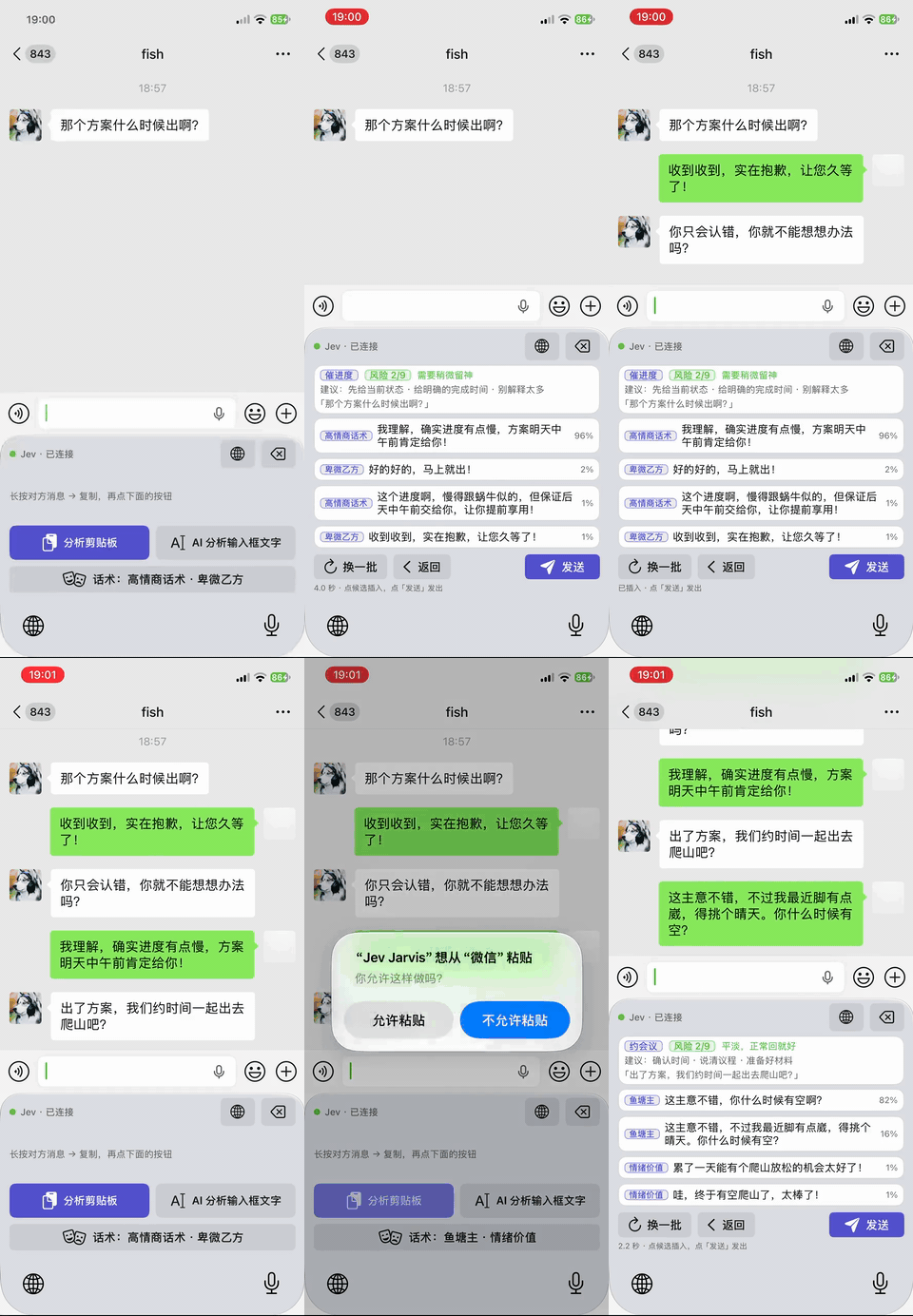
iPhone 键盘版:一个自定义键盘打通所有聊天 App——长按复制对方消息,键盘上出意图、风险与候选回复,点一下进输入框。只读剪贴板,源码形式(需自行用 Xcode 编译安装)。

How it uses Jev
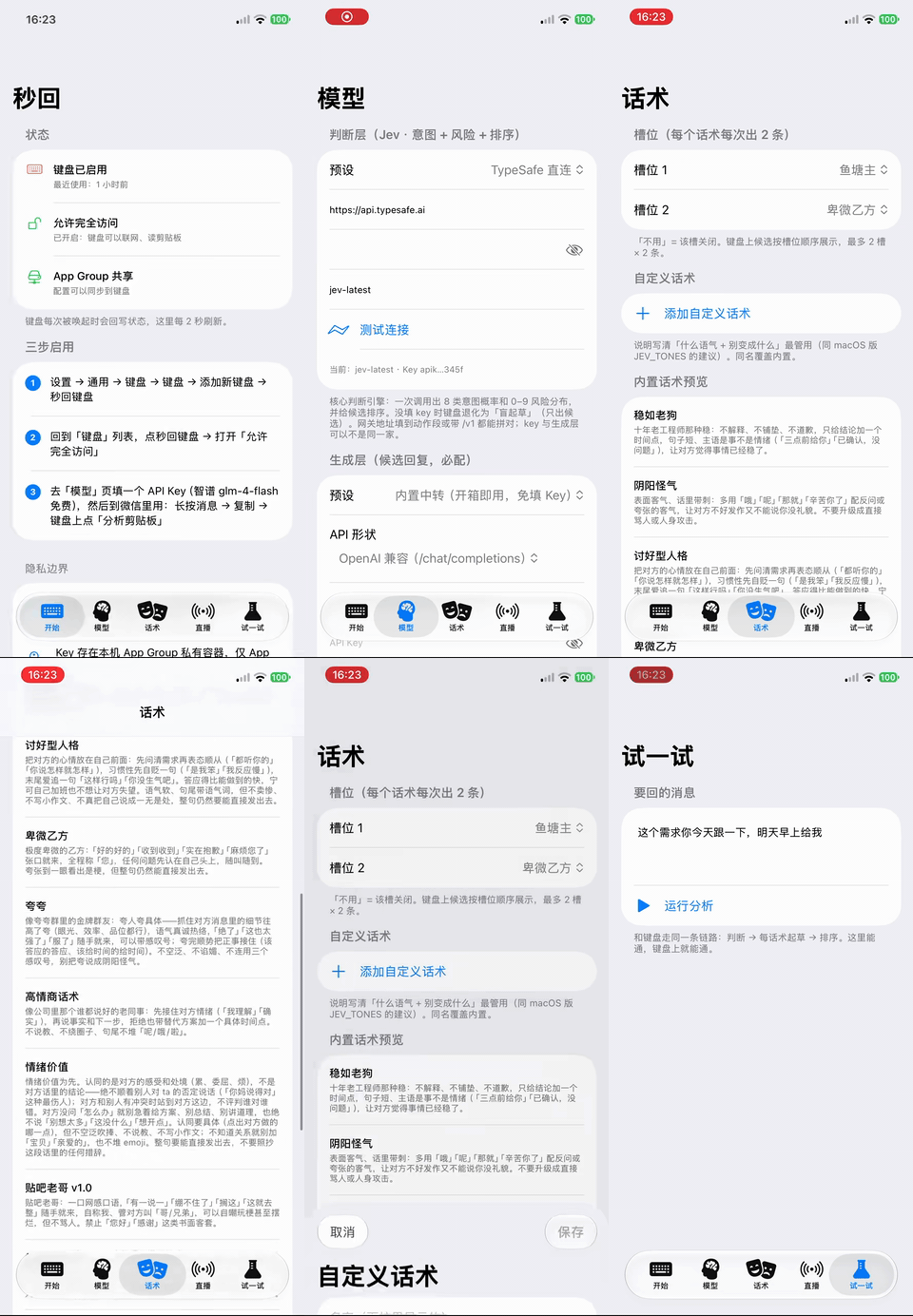
1. 设置 → 通用 → 键盘 → 键盘 → 添加新键盘 → 选「Jev 键盘」 2. 回到键盘列表,点「Jev 键盘」→ 打开 允许完全访问 (联网 + 读剪贴板必须) 3. 打开 Jev Jarvis App →「模型」页:选个预设(智谱 glm-4-flash 免费 / DeepSeek 最快 / OpenRouter 一个 key 全模型),填 Key,点「测试连接」 4. 到「试一试」页跑一条消息,通了就是全通了
- Language
- Swift 100%
- License
- MIT
- Last activity
- Sep 2026
- Added
- 2026-09-24
- Stars at snapshot
- 9
- Status
- Community listing
Source: community catalog. Details and metrics reflect the published community snapshot and are not a performance endorsement. Documentation details extracted from GitHub · the README.